RPA vs Intelligent Automation: What to Automate First (2026)
Quick Answer
RPA (Robotic Process Automation) follows fixed, rules-based steps; intelligent process automation adds AI so the system can also handle judgement, unstructured data and exceptions — and generate the reporting on top. For a mid-market enterprise, the right first target is the highest-volume, most repetitive workflow with a clear rulebook — attendance, invoice processing, data entry, or recurring reports. Automate that, prove the hours saved, then expand.
Key Takeaways
- RPA = fixed rules. Intelligent automation = RPA + AI for judgement, unstructured data and exceptions.
- Start with the highest-volume, most repetitive workflow — not the most impressive one.
- Automate the reporting, not just the task — reports that build and explain themselves.
- Keep a human-in-the-loop for exceptions so nothing is silently mishandled.
- Accucia has shipped AI-based attendance and an AI-driven HRMS with automated reporting.
RPA vs intelligent automation — the real difference
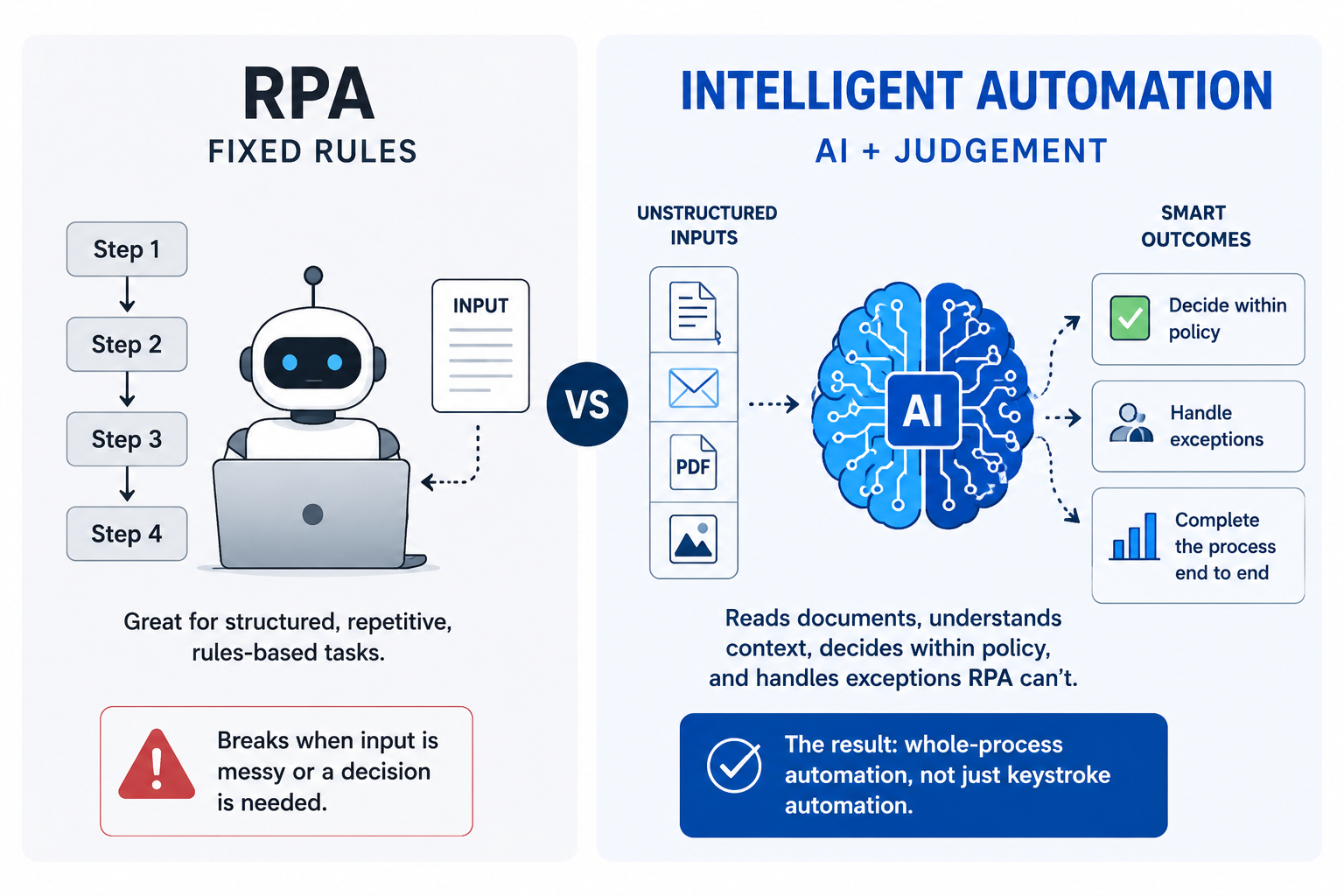
RPA is a robot that clicks through a fixed process exactly as told. It's great for structured, repetitive, rules-based tasks — and it breaks the moment the input is messy or a decision is needed. Intelligent process automation adds AI: it reads documents, understands context, decides within policy, and handles the exceptions RPA can't. The result is whole-process automation, not just keystroke automation.
Why mid-market teams feel this most
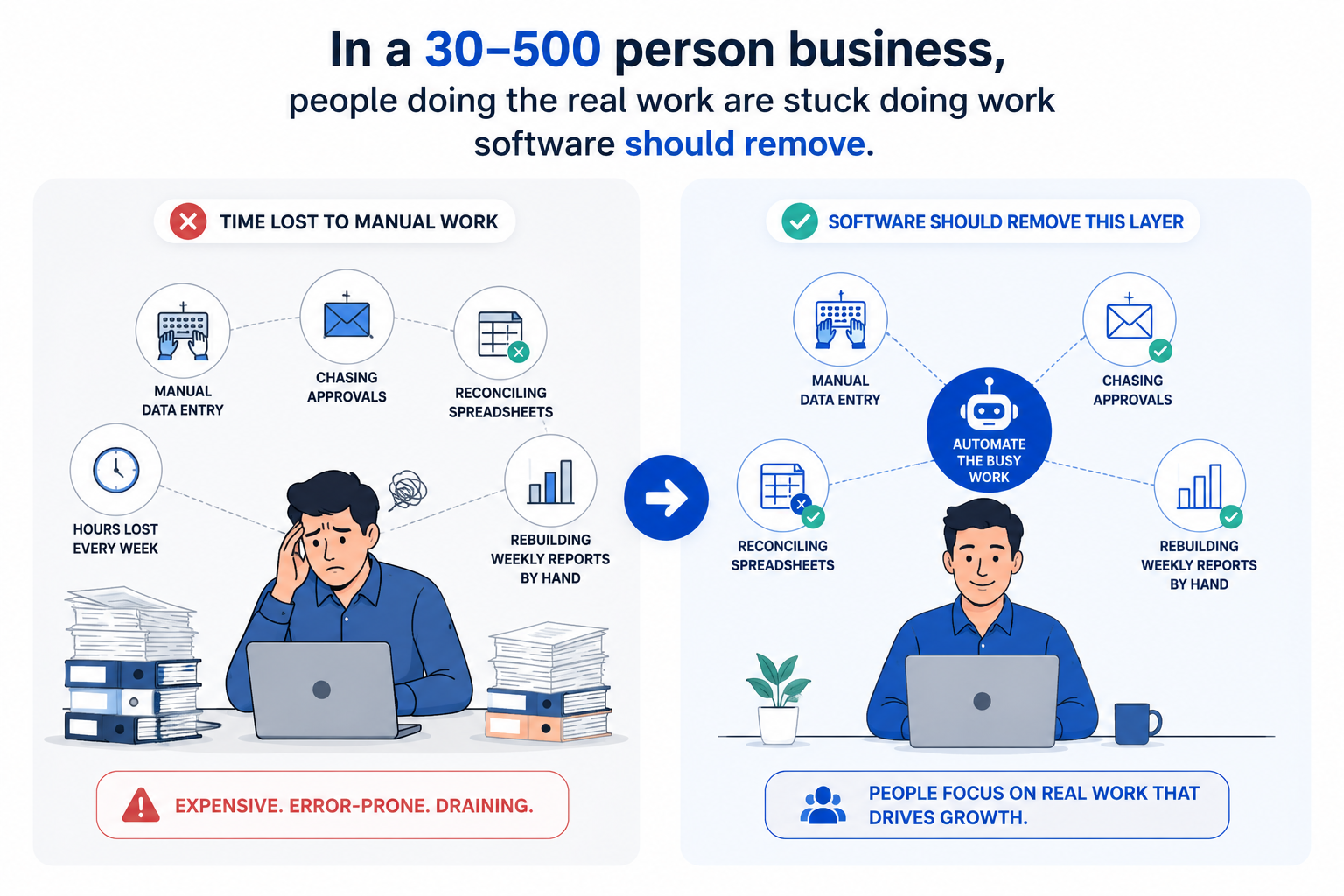
In a 30–500 person business, the same people doing the real work are also doing manual data entry, chasing approvals, reconciling spreadsheets, and rebuilding the weekly report by hand. That's expensive and error-prone — and it's exactly the layer software should remove.
What to automate first
Pick the workflow that is (a) high-volume, (b) repetitive, and (c) has a clear rulebook. Usually that's one of: attendance and HR admin, invoice and document processing, data entry and migration, or recurring management reports. Start there, measure the hours saved, and use that proof to fund the next one.
Don't forget the reporting
The most under-rated automation is the report itself. Instead of someone exporting data and formatting a deck every week, an intelligent system generates, formats and even explains the report on a schedule. That's where a lot of quiet hours hide.
What it looks like in practice
We've delivered an AI-based Attendance Management system and an AI-driven HRMS with automated, AI-generated reporting — removing manual capture, exception handling and weekly report-building. (Confirm specific metrics before publishing.) The pattern is consistent: automate one painful process end to end, including the reporting, then expand once the time-savings are visible.
The guardrail that makes it safe
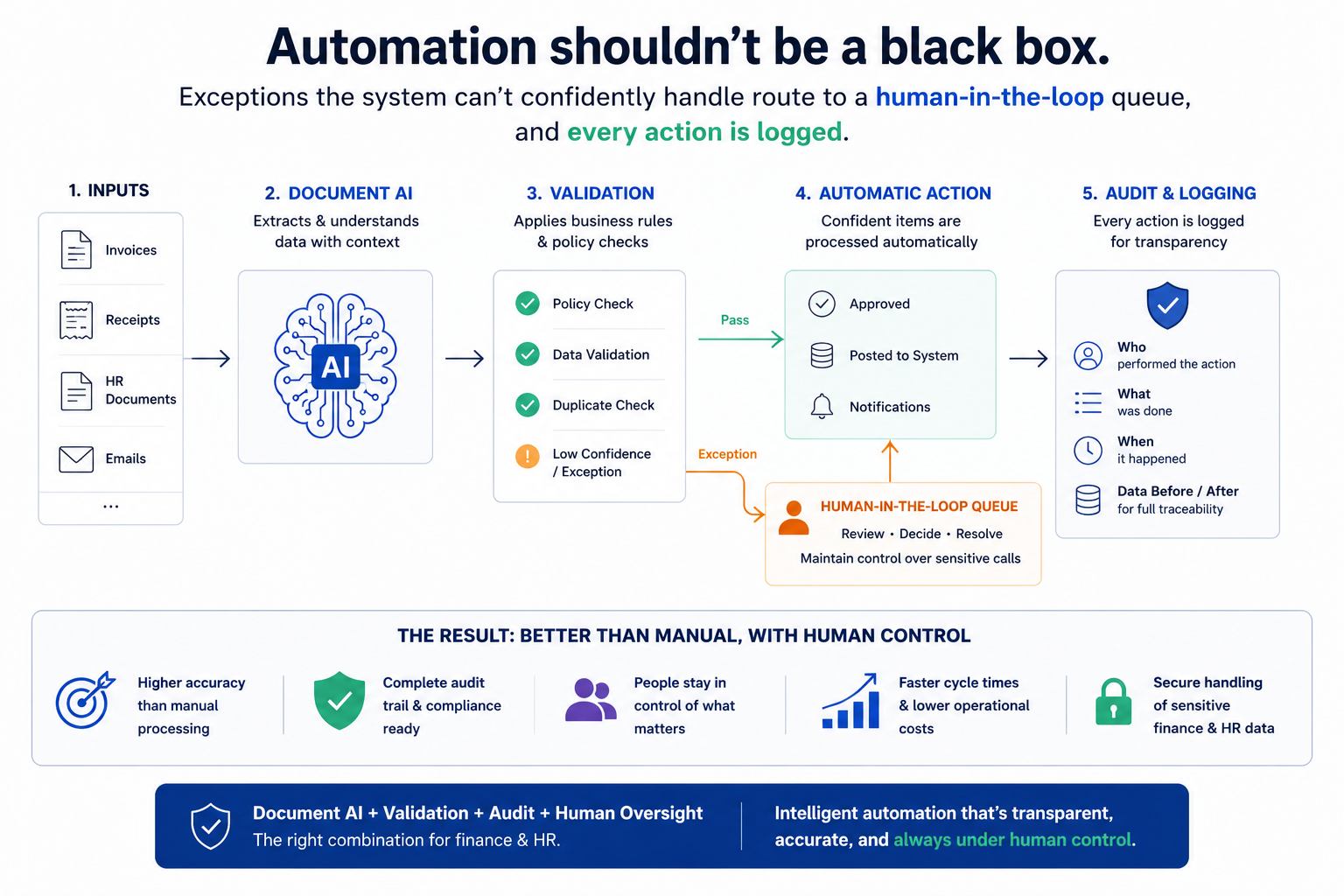
Automation shouldn't be a black box. Exceptions the system can't confidently handle route to a human-in-the-loop queue, and every action is logged. For finance and HR, that combination — document AI plus validation plus audit — typically beats manual accuracy while keeping people in control of the sensitive calls.
Frequently Asked Questions
What is the difference between RPA and intelligent automation?
RPA follows fixed rules; intelligent automation adds AI so the system can handle judgement, unstructured data and exceptions.
What should we automate first?
Usually the highest-volume, most repetitive workflow with a clear rulebook — attendance, invoices, data entry or recurring reports. Identify it, then start there.
Will automation work with our existing systems?
Yes — automations run across your current tools via APIs and integrations, and can pair with an MCP layer on your ERP.
Can you automate our reporting?
Yes — reports can be generated, formatted and explained by AI on a schedule.
What happens with exceptions the automation can't handle?
They route to a human-in-the-loop queue for review, so nothing is silently mishandled.
See where your team loses time then automate what matters.