MCP for ERP: Add AI to Existing Software Without Replacing It (2026)
Quick Answer
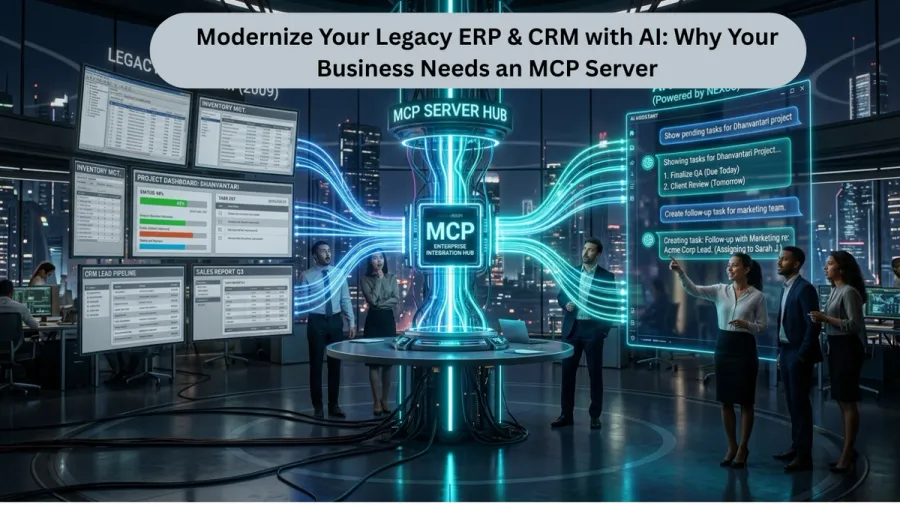
MCP (Model Context Protocol) is an open standard that lets AI assistants securely read from and act on your existing business systems — your ERP, CRM or custom app — without replacing them. Instead of rebuilding your software with AI inside it, an MCP layer sits on top and gives any AI model controlled, permissioned access to your live data. For a mid-market enterprise, it means you can ask your ERP a question in plain language and have it act — in weeks, not a six-month re-platforming project.
Key Takeaways
- MCP adds an AI layer on top of your existing ERP/CRM — no rip-and-replace, no data migration.
- Gartner expects 40% of enterprise apps to embed task-specific AI agents in 2026; MCP is how that happens without throwing away systems you've paid for.
- Access is permissioned per user and fully auditable — the AI only does what each role allows.
- A first integration on a defined set of services typically ships in weeks, not months.
- Accucia has already shipped production MCP into a live real-estate ERP — this is delivered work, not a concept.
What is MCP, in plain English?
The Model Context Protocol is a universal adapter between your software and AI. Your ERP already holds the data — contracts, inventory, quotations, customers. The problem is getting to it: today that means clicks, exports and people. An MCP layer exposes specific, safe actions from your system to an AI assistant, so a user can simply ask — “which AMC contracts expire this month?” or “create a quotation for this client” — and the system answers and acts on real, live data.
Crucially, your existing software keeps running exactly as it is. The AI sits on top and works through it.
Why “rip-and-replace” AI projects fail the mid-market
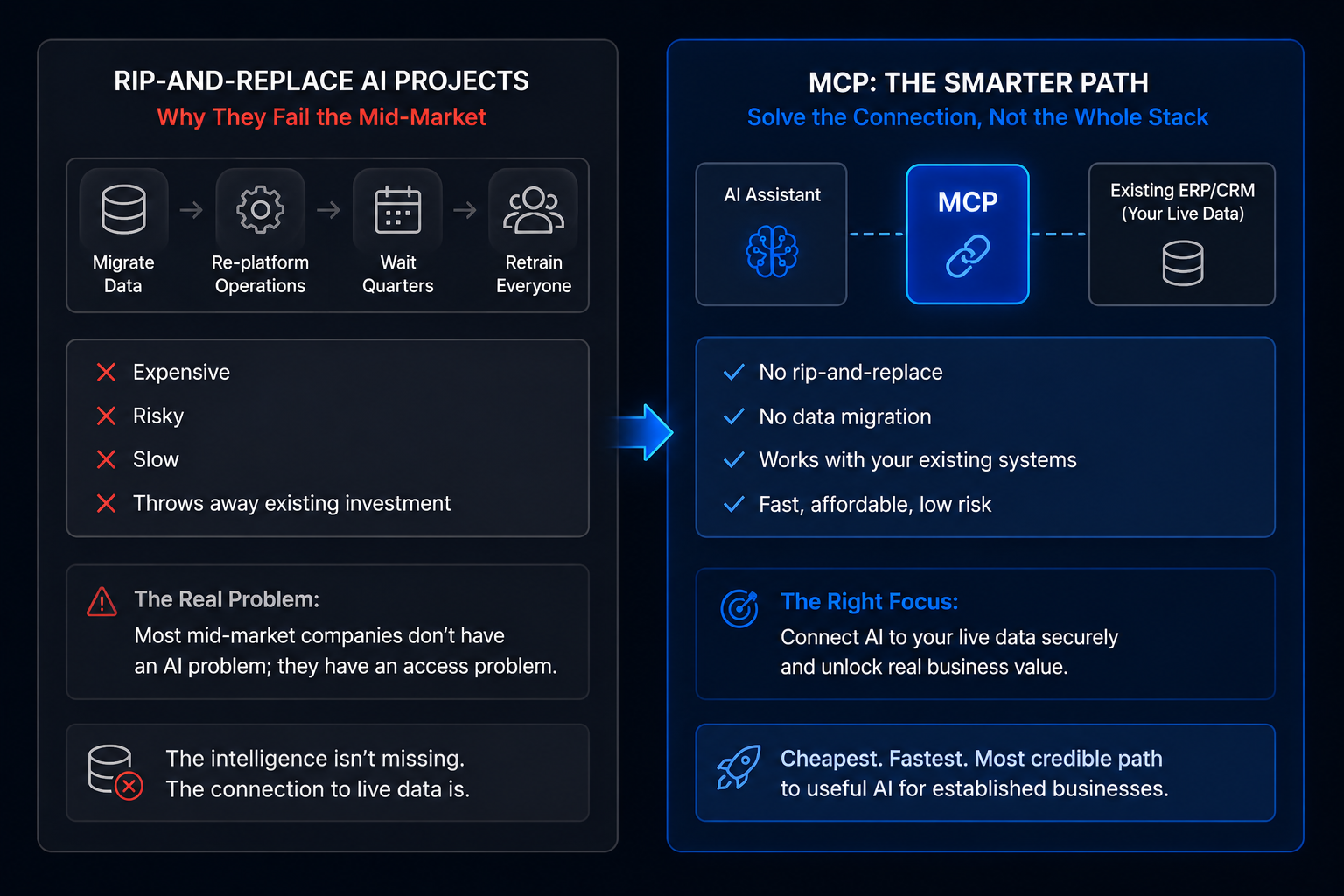
The default vendor pitch is a full rebuild: migrate your data, re-platform your operations, wait two quarters, retrain everyone. For a 30–500 person business, that's expensive, risky, and slow — and it throws away software you've already invested in. Most mid-market companies don't have an AI problem; they have an access problem. The intelligence isn't missing. The connection between the AI and their live data is.
MCP solves the connection, not the whole stack. That's why it's the cheapest, fastest credible path to useful AI for an established business.
How an MCP integration actually works
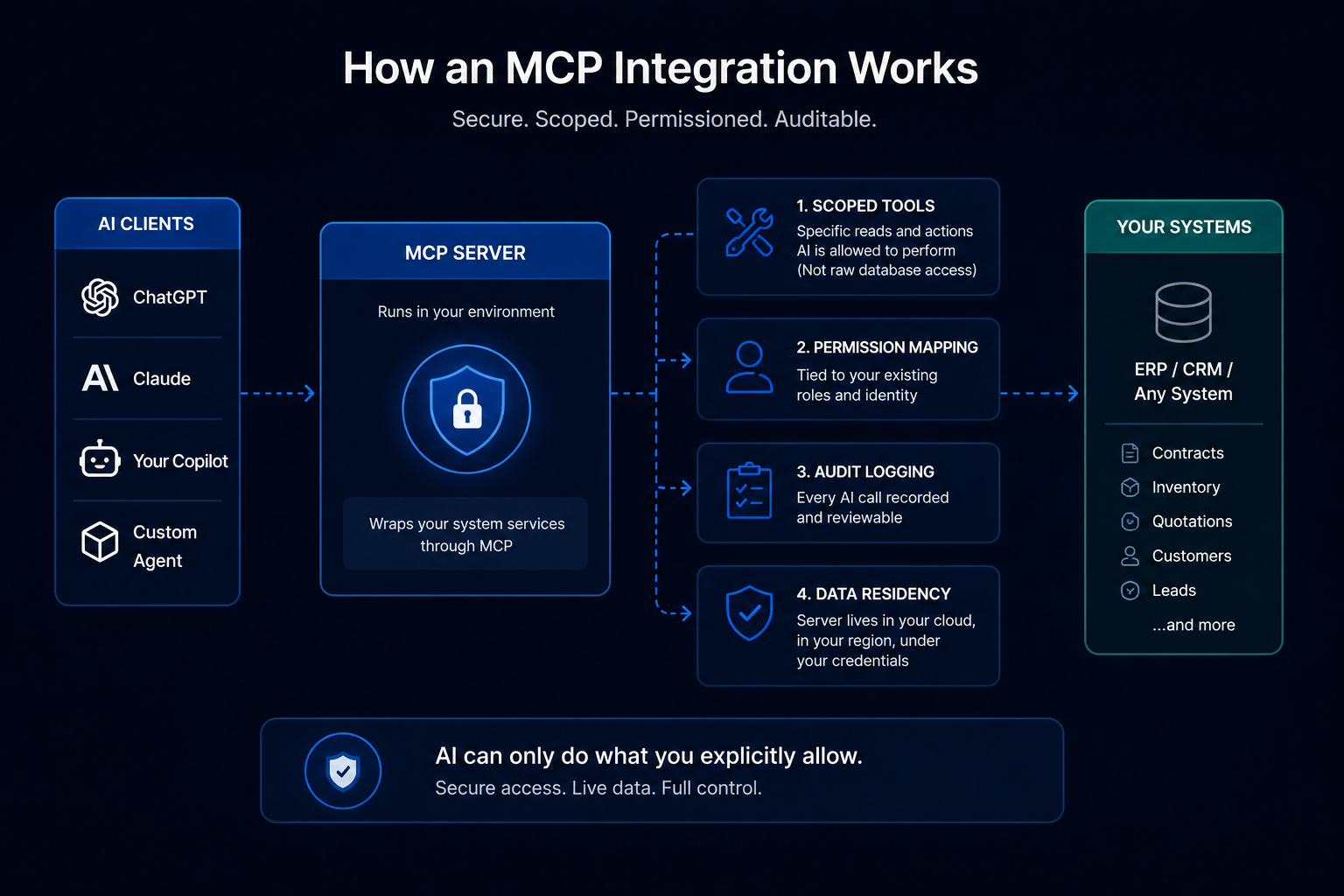
A typical Accucia MCP build has four parts:
- An MCP server that runs inside your environment and wraps your system's services.
- Scoped tools — the specific reads and actions the AI is allowed to perform (not raw database access).
- Permission mapping tied to your existing roles and identity.
- Audit logging — every AI call recorded and reviewable.
The AI client — ChatGPT, Claude, your own copilot, or an agent — connects to that server and can only do what you've explicitly allowed. Data residency is preserved by design, because the server lives in your cloud, in your region, under your credentials.
What this looks like in practice
We shipped a production AI + MCP system for a Mumbai-based residential real-estate platform in 10 working days — exposing the client's in-ERP services (project search, inventory, comparisons, lead creation) to an AI assistant, with full data residency and audit logging inside their own cloud. No system was replaced. The team simply gained a natural-language way to query and act on data that had been locked behind screens.
This is the pattern for most mid-market enterprises: pick the highest-friction workflow, expose 4–8 safe actions, ship, then expand.
Is it secure?
Yes — and security is the point, not an afterthought. Access is permissioned per user, every action is auditable, inputs are validated before execution, and the AI never gets raw database access — only the specific tools you define. On-premise and private-cloud deployments are available for data-sensitive and government workloads.
Build Your First MCP Server with Claude
How to start
Start with an MCP readiness review: which system, which 4–8 actions, which roles. From there a first integration is a matter of weeks. You don't need to wait for a managed “official” feature from a model vendor — the capability is buildable today, and we've been engineering around exactly these constraints for years.
Frequently Asked Questions
What is MCP (Model Context Protocol)?
MCP is an open standard that lets AI assistants securely connect to, read from and act on live business systems like your ERP or CRM, through a permissioned, auditable interface.
Do we have to replace our ERP to add AI?
No. MCP adds an AI layer on top of your existing software — nothing gets ripped out, and there's no data migration.
Is MCP integration secure?
Yes. Access is permissioned per user and fully auditable; the AI only performs the specific actions each role is allowed, and never gets raw database access.
How long does an MCP integration take?
A first integration on a defined set of services typically ships in weeks, not months.
Which AI assistants can connect via MCP?
It's model-agnostic — ChatGPT, Claude, your own copilot or custom agents can all connect to a properly built MCP server.
Give Your ERP an AI Brain