
Admin Panels & Dashboards: Run Your Whole Operation From One Screen
Quick Answer
An admin panel is a centralized control center that brings together data from multiple business systems into one screen. It helps businesses monitor operations, automate workflows, manage users, approve tasks, and make faster decisions with real-time visibility. By replacing scattered spreadsheets and disconnected tools, an admin panel improves efficiency, accuracy, and overall operational control. By Mr. Sumeet Katariya, CEO Accucia Softwares
Most operational chaos isn't a people problem. It's a visibility problem. The data exists it's just scattered across ten tools, twenty spreadsheets, and three people's heads. An admin panel pulls it onto one screen, so decisions stop waiting on someone to "pull the numbers."
The hidden tax of running a business across tabs
By the time a company crosses a few crore in revenue, no single person can see the whole operation anymore. Sales lives in a CRM. Inventory sits in an ERP or a spreadsheet. Payments are in the accounting tool. Support tickets are in a fourth system. Each tool is fine on its own. The problem is the gaps between them.
Those gaps get filled by manual work: someone exports a report, someone reconciles two sheets, someone pings three teams before a Monday review. This is the operational tax most founders pay without naming it hours spent assembling a picture that a system should assemble automatically.
The tell: if your team's answer to "how are we doing right now?" is "give me an hour to check," you don't have a reporting problem. You have a consolidation problem.
What an admin panel actually is
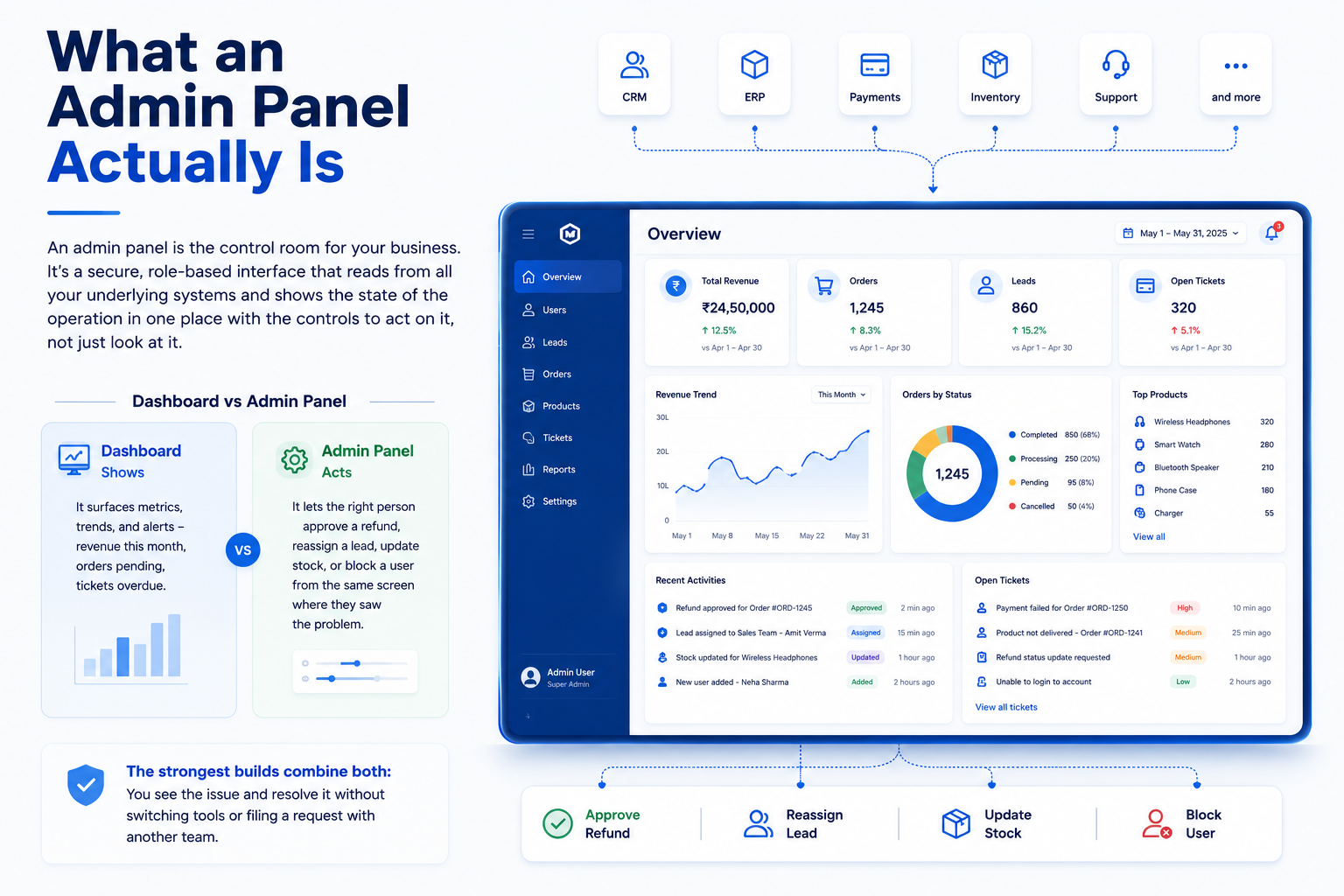
An admin panel is the control room for your business. It's a secure, role-based interface that reads from all your underlying systems and shows the state of the operation in one place with the controls to act on it, not just look at it.
People often use "dashboard" and "admin panel" interchangeably, but they do different jobs:
- A dashboard shows. It surfaces metrics, trends, and alerts revenue this month, orders pending, tickets overdue.
- An admin panel acts. It lets the right person approve a refund, reassign a lead, update stock, or block a user from the same screen where they saw the problem.
The strongest builds combine both: you see the issue and resolve it without switching tools or filing a request with another team.
Chaos vs. one screen: what changes
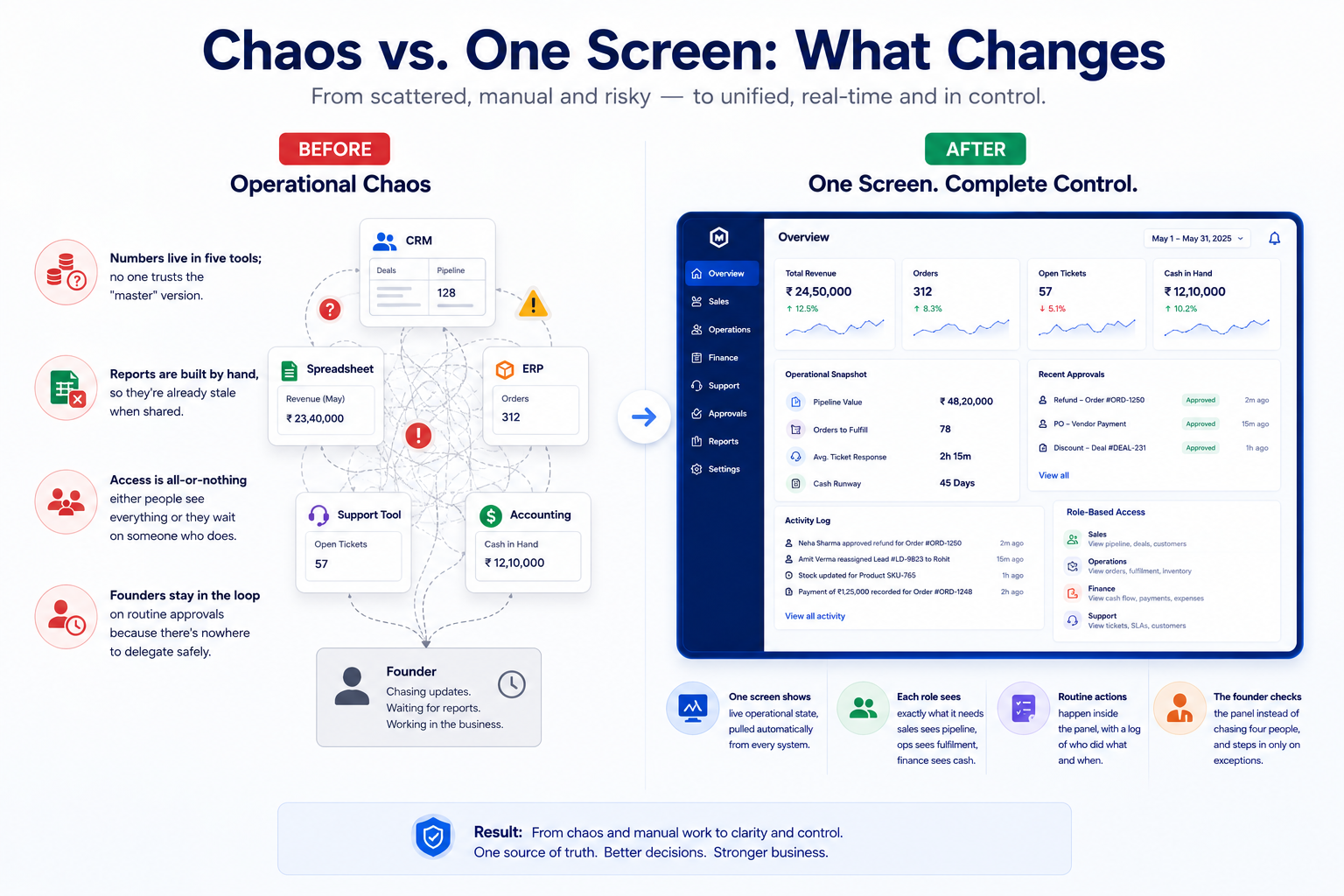
Before
- Numbers live in five tools; no one trusts the "master" version.
- Reports are built by hand, so they're already stale when shared.
- Access is all-or-nothing either people see everything or they wait on someone who does.
- Founders stay in the loop on routine approvals because there's nowhere to delegate safely.
After
- One screen shows live operational state, pulled automatically from every system.
- Each role sees exactly what it needs sales sees pipeline, ops sees fulfilment, finance sees cash.
- Routine actions happen inside the panel, with a log of who did what and when.
- The founder checks the panel instead of chasing four people, and steps in only on exceptions.
What a well-built admin panel includes
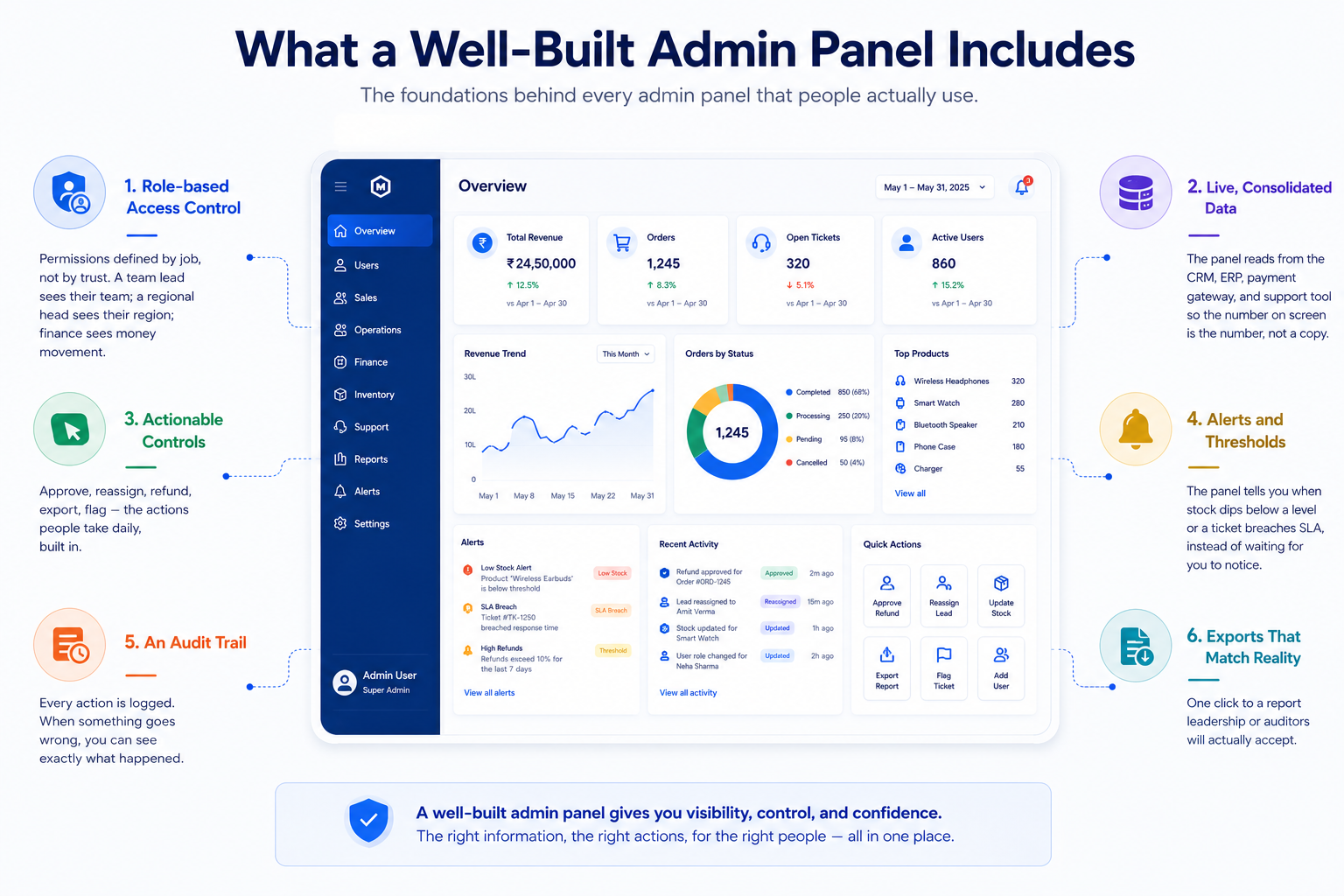
Not every panel needs everything, but the ones that actually get used tend to share the same foundations:
- Role-based access control. Permissions defined by job, not by trust. A team lead sees their team; a regional head sees their region; finance sees money movement.
- Live, consolidated data. The panel reads from the CRM, ERP, payment gateway, and support tool so the number on screen is the number, not a copy.
- Actionable controls. Approve, reassign, refund, export, flag the actions people take daily, built in.
- Alerts and thresholds. The panel tells you when stock dips below a level or a ticket breaches SLA, instead of waiting for you to notice.
- An audit trail. Every action is logged. When something goes wrong, you can see exactly what happened.
- Exports that match reality. One click to a report leadership or auditors will actually accept.
Why generic tools fall short
Off-the-shelf dashboards are a reasonable starting point, and for a young company they may be enough. They struggle at scale for one reason: they're built around their own data model, not around how your business runs. You end up bending your process to fit the tool, or paying per seat for features nobody uses while the one workflow you actually need isn't there.
A tailored admin panel inverts that. It's shaped around your operation your roles, your approval chains, your definition of "done" and it connects to the systems you already run. The result is a control room your team recognises, not a product they tolerate.
How to get there without a two-year project
The mistake is trying to build the perfect all-seeing panel in one go. The panels that succeed start narrow and earn their expansion.
- Start with the daily question. Find the one thing your team assembles by hand every day and build the screen that answers it automatically.
- Connect the two systems that matter most first. Usually the CRM and whatever holds fulfilment or money. Prove the consolidation before widening it.
- Add actions once the view is trusted. First get people believing the numbers, then let them act on the numbers.
- Design for the least technical user. If the ops manager needs training to read it, it won't get used under pressure.
The goal isn't more data on a screen. It's fewer questions that require a human to go digging. A good admin panel is measured by how many status calls, exports, and "can you check?" pings it eliminates.
Operational chaos rarely means the business is broken. It usually means the business has outgrown the way it's being watched. An admin panel is how you replace scattered tabs and manual reports with a single, trusted view one that shows the state of the operation and lets the right people act on it in the same place.
Ready to simplify your operations? Let's talk.