How to Map Your Business Workflow Before You Buy Software A 3-Step Founder Exercise
Quick Answer
In 2026, Next.js is the better choice for customer-facing platforms — SaaS products, marketplaces, and B2B portals — because its server-side rendering delivers fully built pages instantly to both browsers and AI crawlers, giving it a natural SEO advantage. The MERN stack remains the stronger choice for complex enterprise backends like ERPs, FinTech systems, and internal CRMs, where the Node.js server needs to scale independently of the React frontend. Choose Next.js when discoverability and speed-to-market matter most; choose MERN when long-term modularity and heavy data processing are the priority.
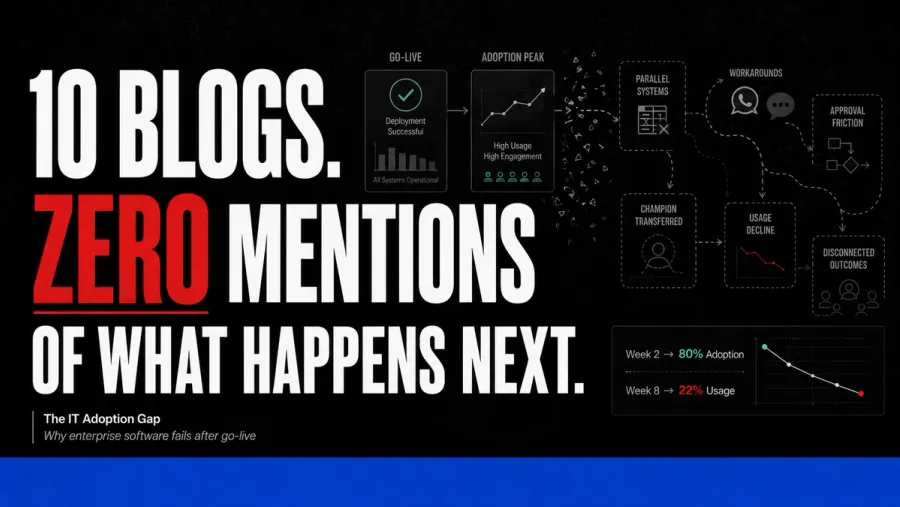
70% of enterprise software fails at adoption.
Almost always for the same reason: nobody mapped the real workflow before signing the contract.
The team answered what the process should be. The vendor built to that answer. Six months later, the team is back on Excel and WhatsApp because the actual ground-level workflow never made it into the spec.
This is the 3-step exercise we run with every Accucia client before we recommend a single line of code. Founders can run it themselves in 4-6 weeks, and the output will save you anywhere from ₹5 lakh to ₹50 lakh in avoided rework on your next software purchase.
Why Most Enterprise Software Fails at Adoption
Industry data on this is brutal and consistent:
- 70% of enterprise software fails at adoption, not at code (multiple 2025-26 industry surveys)
- Less than 30% of features in purchased software actually get used by the team
- 6-month team utilisation rate of new enterprise software is the single most predictive metric of project ROI
The root cause is almost never the vendor's technical skill or your team's resistance. It's the gap between the workflow the founder describes in a discovery call and the workflow the team actually runs on the ground at 11 AM on a Tuesday.
That gap is what workflow mapping closes.
The 3-Step Workflow Mapping Exercise
Step 1: Shadow the actual operation — one day per department
Pick the 4-6 departments that touch your business-critical workflows. Pick one team member in each department who's been there at least 18 months. Spend a full day shadowing them — not in a meeting room, at their actual desk or field location.
Don't ask "what's your process?" — they'll describe the version they think you want to hear.
Watch what they actually do. Where they switch tabs. Which Excel sheets they alt-tab to. Which WhatsApp groups they message. Which colleagues they call when the official process doesn't fit. Which notes they keep on paper or in OneNote that aren't in any official system.
What to capture in the shadow:
- The 5-10 most common tasks (not the rare edge cases)
- Every system they open during those tasks
- Every handoff to another person or department
- Every "workaround" — the moments they bypass the official process
- Every piece of data they re-enter manually because two systems don't talk
A single day of shadowing typically reveals 15-25 workflow gaps that a 50-page requirements document would have missed entirely.
Step 2: Document the 5 decisions made most often + who makes them + on what data
Most workflow mapping exercises stop at process. The 5-decisions exercise is what makes it operational.
For each department, identify:
- The 5 decisions made most often (e.g., "approve a customer credit limit," "release a delivery to dispatch," "sign off on a quotation")
- Who is authorised to make each decision (by role, not by name — names change)
- What data they need to make the decision well (and where that data currently lives)
- What happens when the deciding person is unavailable (who else can decide? Or does the work just pile up?)
- How long the decision currently takes, from request to outcome
Most mid-market businesses can't answer these 5 questions cleanly for any of their departments. That's the gap. Software that doesn't fix it just digitises the chaos.
Step 3: Map data flow between systems — where it gets lost
This is the most technical step but the highest-value. For each piece of data that matters to your business (customer records, orders, invoices, inventory counts, employee records, leads, follow-ups), trace its journey through your current systems:
- Where is the data created (which app, which person, what trigger)
- Where does it flow next (manually copied? auto-synced? exported and re-imported?)
- Where does it get duplicated (different versions in different systems)
- Where does it get lost (i.e., where do downstream teams not get it, or get it late)
- Where does it get stale (i.e., where is the version being used not the latest version)
You'll find at least 3-5 places where critical business data is being re-entered manually, lost in handoffs, or stored only in the head of one team member. Those are the high-value automation targets — not "let's just buy a CRM."
Common Founder Mistakes During Workflow Mapping
After running this exercise across 730+ Accucia client engagements, the same mistakes show up:
Mistake 1: Asking "what should the process be?" instead of "what is the process?"
The first question gives you a sanitised version of how the team wishes the work happened. The second gives you the actual operation. The actual operation is what software needs to fit.
Mistake 2: Skipping the field or frontline.
Founders shadow office workers and skip warehouse, retail floor, field service, or branch operations. Then their software fits 30% of the team and the rest revert to Excel. Always shadow the people closest to the customer or the physical operation.
Mistake 3: Assuming the documented SOP is what the team follows.
The SOP describes the official process. The actual process has 10 workarounds the SOP doesn't mention. Software built to the SOP will never match reality.
Mistake 4: Mapping for too long.
Workflow mapping should take 4-6 weeks, not 4-6 months. Longer and you're procrastinating the build decision. The mapping output isn't a deliverable — it's an input to the next decision.
The Vendor Test Ask Vendors to Demo Your Workflow, Not Theirs
Once your workflow map is done, you have a precise tool for evaluating any vendor.
Don't ask vendors to demo their software. Ask them to demo your workflow using their software.
Give them your 5-decision document and your data-flow map. Ask them to walk through how their system handles each one. Watch for the moments they say "well, we'd configure that" or "you'd just export the data and re-import it" — those are the workflow gaps that will become adoption failures 6 months in.
The right vendor either:
- Demonstrates your workflow natively (rare but ideal)
- Acknowledges what they can't handle and proposes a custom layer (honest mid-market posture)
- Or fails the test outright, saving you from a 12-month mistake
FAQ: Business Workflow Mapping for Software Selection
Why do most ERPs fail to deliver on their promise?
Not because the ERP is bad, but because the workflow was never mapped before purchase. The ERP was built for a generic version of your industry; your business has 30+ specific operational quirks the template doesn't accommodate. The team reverts to workarounds within 90 days.
How long should workflow mapping take for a mid-market business?
4-6 weeks for a business in the 30-500 employee range. Less than that and you're skimming. More than that and you're procrastinating the build decision. Output should be a 15-25 page document with department-level workflow maps, decision logs, and data flow diagrams.
Who should run the workflow mapping exercise — the founder, an internal lead, or an external consultant?
For mid-market businesses, we recommend the founder runs Steps 1 and 2 personally (shadowing + decision documentation). Step 3 (data flow mapping) often needs technical literacy — either an internal IT lead or an external consultant brings useful structure. The founder participating in Steps 1-2 is non-negotiable because they're the only person who hears the workarounds without judgement.
Can we DIY workflow mapping or do we need help?
You can DIY if you have a process-minded team lead who can dedicate 3-4 days a week for 6 weeks. Most mid-market businesses don't have that bandwidth, which is why Accucia includes workflow mapping in every engagement before any code is written. Either way, the mapping has to happen — the only question is who does it.
What's the cost of skipping workflow mapping?
Industry data is clear: 70% of enterprise software fails at adoption when workflow mapping is skipped. The financial cost is the software investment (₹15-50 lakh for mid-market) plus the operational tax of the team continuing to work around it (another ₹20-30 lakh per year in lost productivity). Workflow mapping costs almost nothing in comparison.
What To Do Next
For mid-market founders considering a software purchase in 2026:
- Block 4-6 weeks on the calendar before any vendor evaluation begins. The workflow mapping needs uninterrupted attention from you.
- Pick the first department to shadow. Start with whichever team is closest to revenue or customer experience.
- DM "WORKFLOW" on LinkedIn if you want our 12-question workflow audit template as a PDF. It includes the shadow checklist, decision documentation template, and data flow diagram example.
Map your workflow before you buy software.